CyberDefenders - Szechuan Sauce
Table of Contents
Scenario
Challenge Files: - 202009180417DESKTOP-SDN1RPT.E01: EnCase image file format (2 GB) - 202009180417DESKTOP-SDN1RPT.E02: EnCase image file format (2 GB) - 202009180417DESKTOP-SDN1RPT.E03: EnCase image file format (2 GB) - 202009180417DESKTOP-SDN1RPT.E04: EnCase image file format (2 GB) - autorunsc-citadel-dc01.csv - autoruns-desktop-sdn1rpt.csv - case001.pcap (189 MB) - citadeldc01.mem (2 GB) - DESKTOP-SDN1RPT.mem - E01-DC01 - 202009180347CDrive.E01: EnCase image file format (2.4 GB) - 202009180347CDrive.E01.txt - 202009180347CDrive.E02 EnCase image file format (2.2 GB)
Case Overview: Your bedroom door bursts open, shattering your pleasant dreams. Your mad scientist of a boss begins dragging you out of bed by the ankle. He simultaneously explains between belches that the FBI contacted him. They found his recently-developed Szechuan sauce recipe on the dark web. As you careen past the door frame you are able to grab your incident response “Go-Bag”. Inside is your trusty incident thumb drive and laptop.
Note: Some files may be corrupted just like in the real world. If one tool does not work for you, find another one.
Tools: - RegistryExplorer - BrimSecurity - WireShark - FTK Imager - Volatility3 - Event Log Explorer - ClamAV - Impacket - Rifiuti2 - hashcat - VirusTotal - Hybrid-analysis
Questions
Q1: What’s the Operating System version of the Server? (two words)
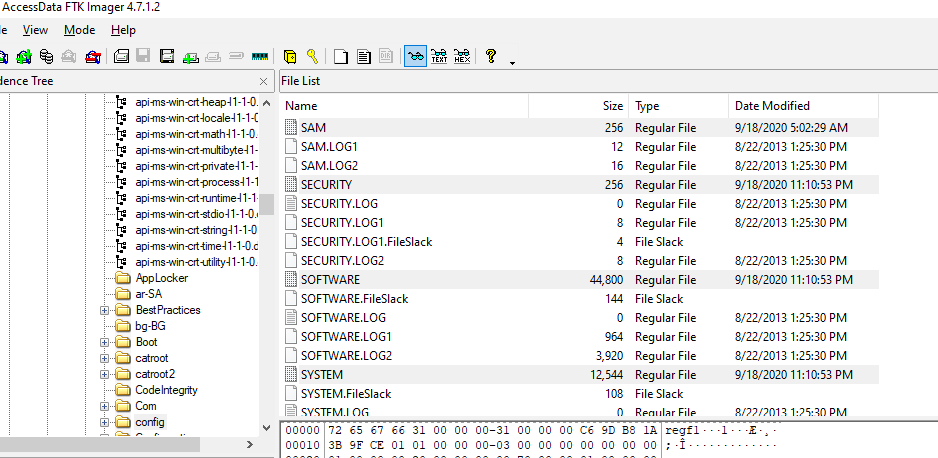
We got plenty of artifacts here so its naturally come with different approach for each artifacts, first is to dump SOFTWARE registry hive and use Registry Explorer to read /Microsoft/WindowsNT/CurrentVersion subkey
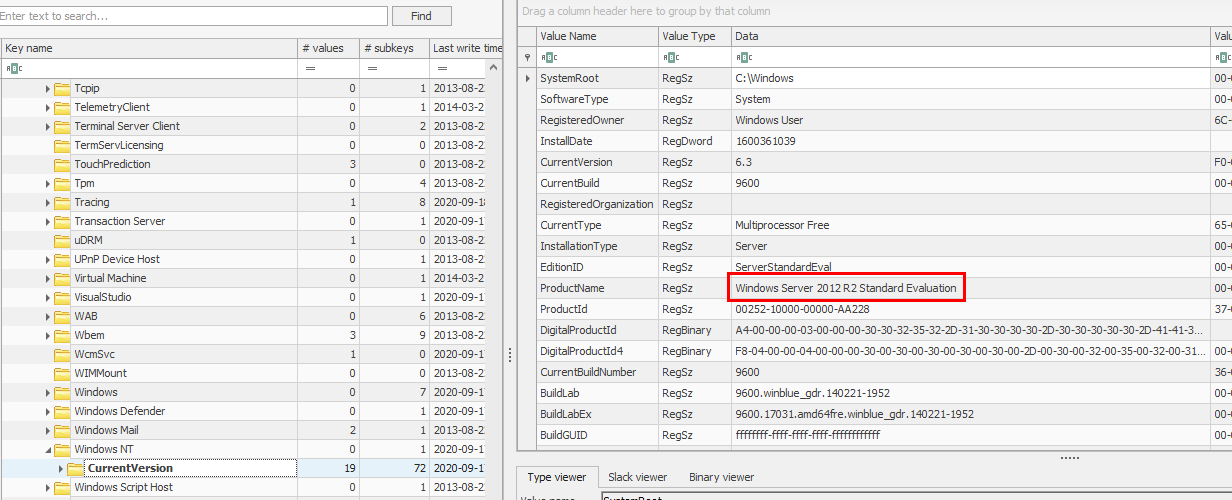
Which you can see that Domain Controller server is using Windows Server 2012 R2 Standard Edition
2012 R2
The other way to solve this challenge is to used volatility to query registry key from memory dump which I would not recommend doing that if we have disk image available
Q2: What’s the Operating System of the Desktop? (four words separated by spaces)
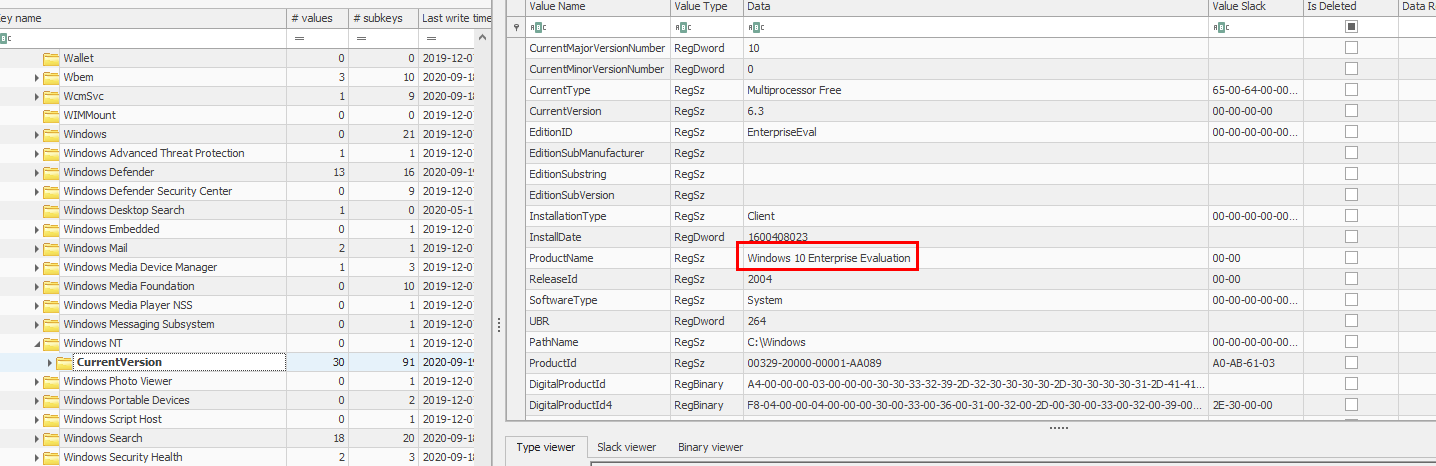
We will use the same approach here on Desktop's disk image to dump registry key and read CurrentVersion subkey
Windows 10 Enterprise Evaluation
Q3: What was the IP address assigned to the domain controller?
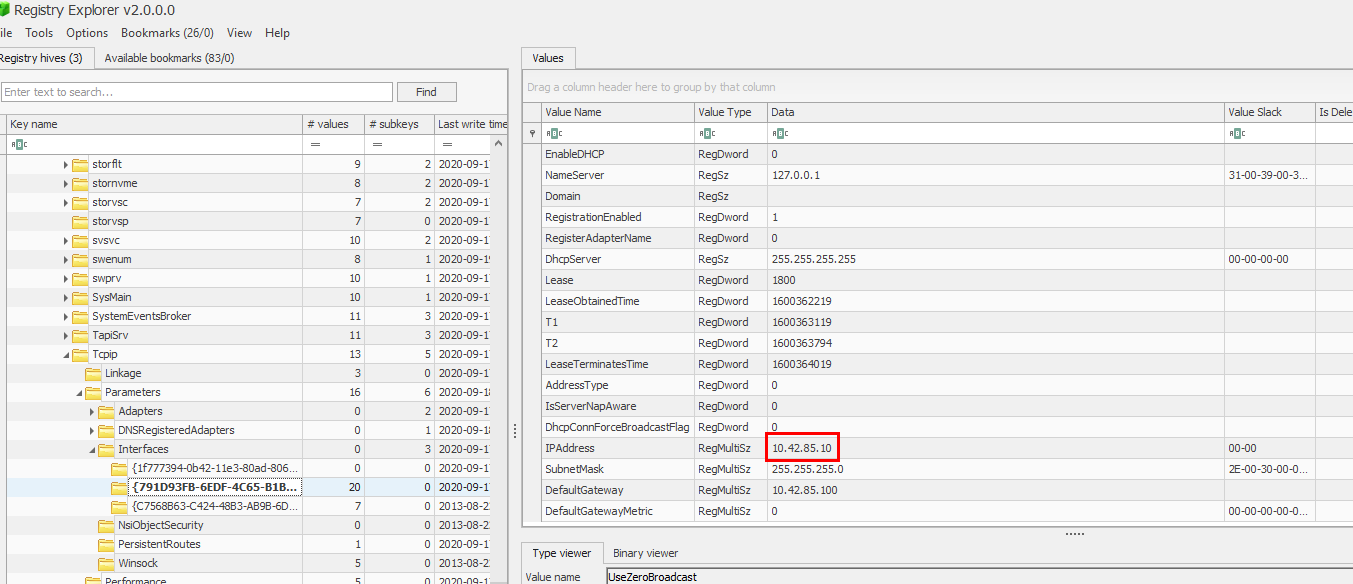
This time, we will have to open SYSTEM registry hive and go to ControlSet001\Services\Tcpip\Parameters\Interfaces\ and manually display content of each subkey which represent different network interface on the domain controller
10.42.85.10
Q4: What was the timezone of the Server?
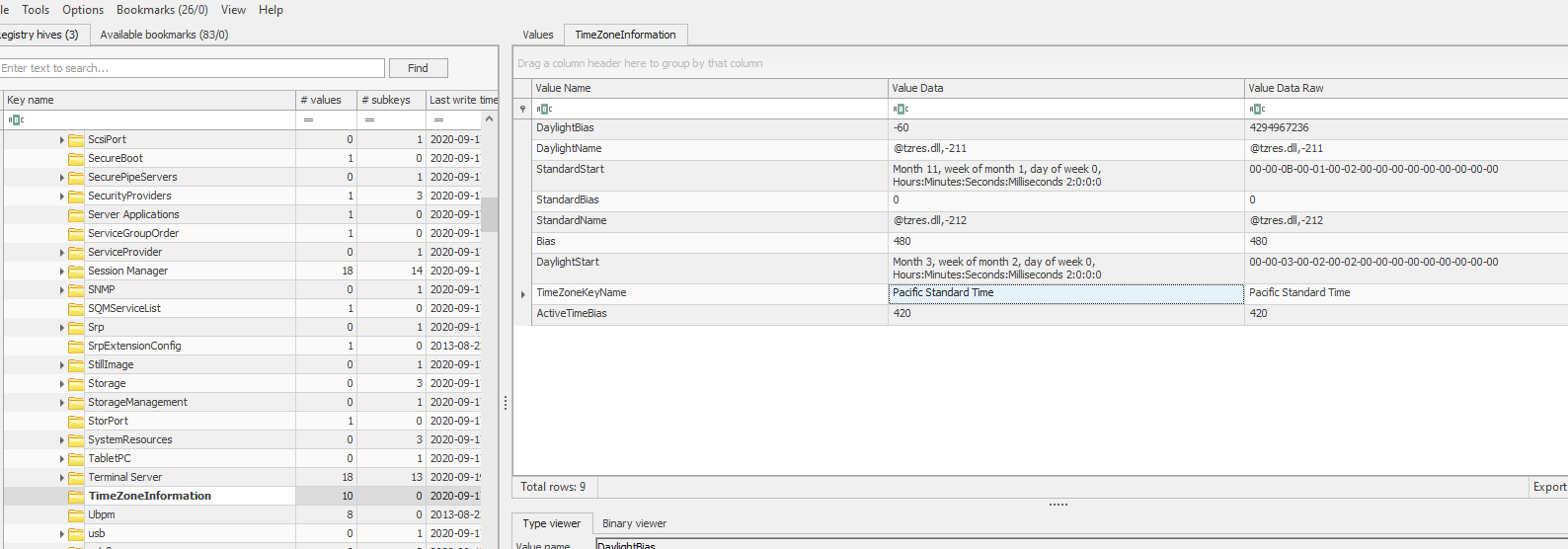
Still on SYSTEM hive for this one but we have to find ControlSet001\Control\TimeZoneInformation subkey which we can see that it was set to Pacific Standard Time which is UTC-7 but it is not the right answer
We have to correlated time that was captured on PCAP (which should be the most accurate one) and the time on Event Log (but we can not open it on our computer since all timestamp will be changed to the computer timezone that opened that log file)
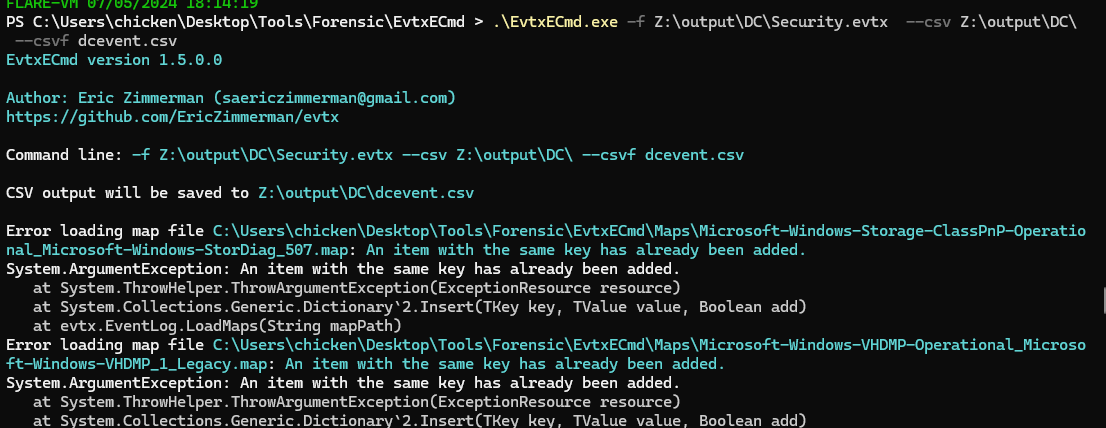
So the other way I could think of is to use EvtxCmd from EZ Tools and use Timeline Explorer to open it
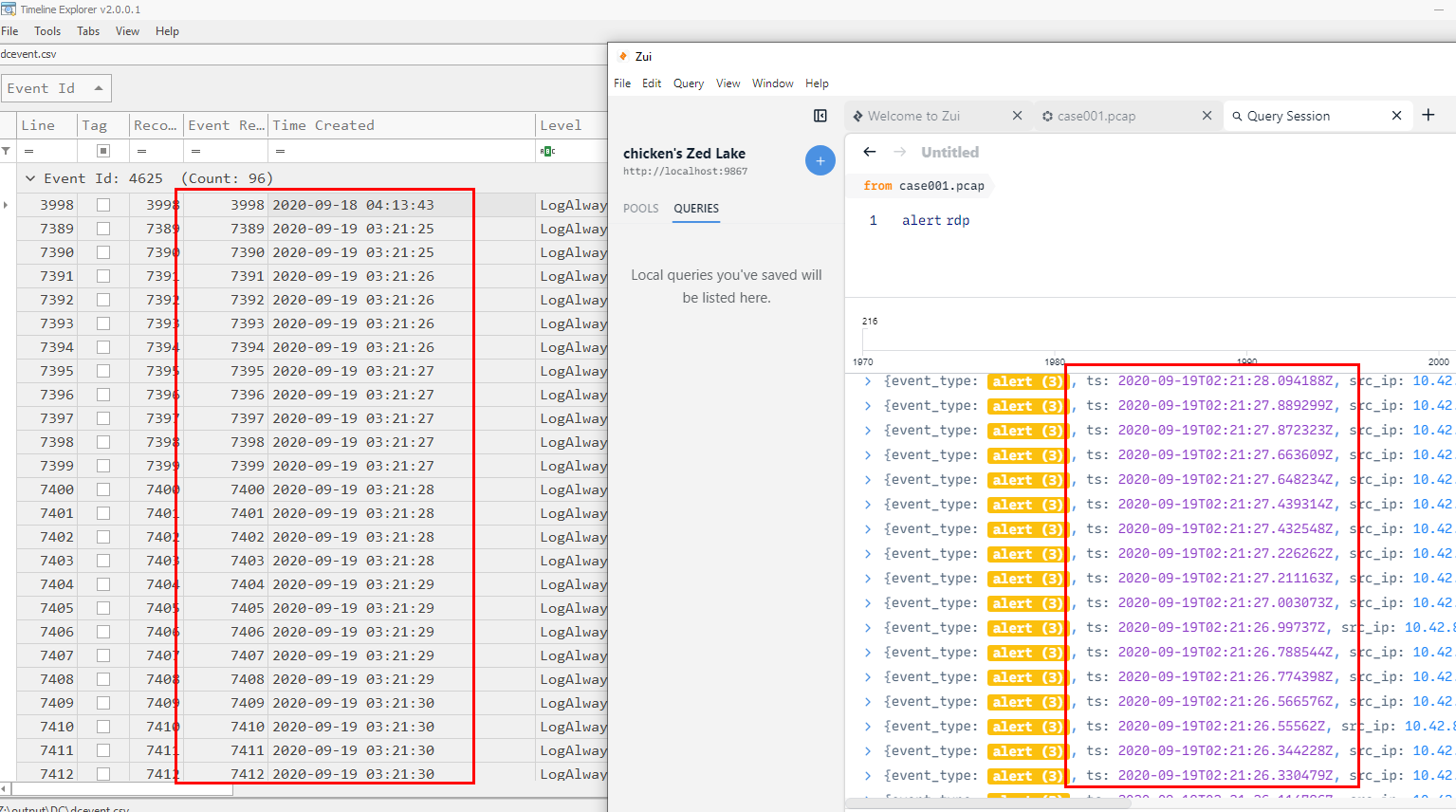
Now we can see that the result from EvtxCmd and pcap file are different for an hour so its UTC-6 not UTC-7
UTC-6
Q5: What was the initial entry vector (how did they get in)?. Provide protocol name.
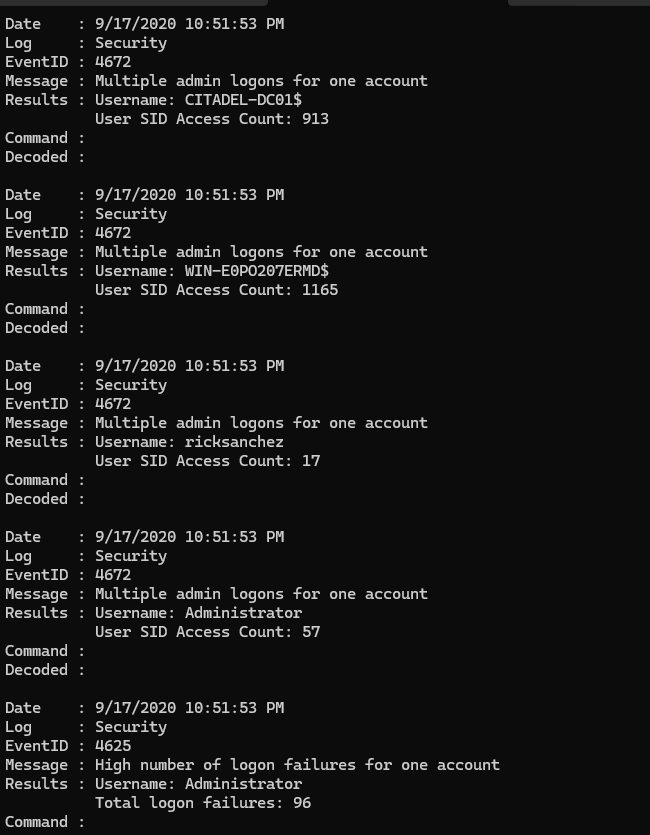
I exported some event log files and use DeepBlueCLI to find any thing suspicious which will landed us with multiple login failures for Administrator account so we could grasp that there was a bruteforce attack for Administrator account here
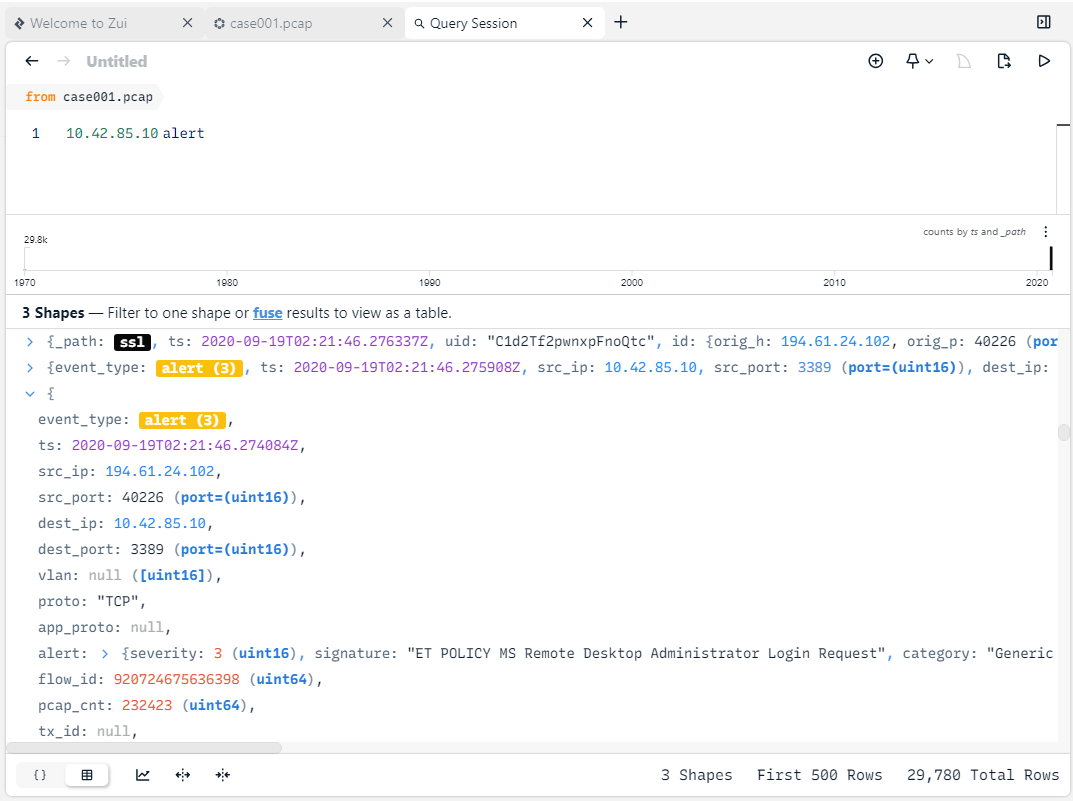
We can use BrimSecurity with Suricata rules to correlated suspicious activities from pcap file for us which we can see that all those login failures happened on port 3389 which is RDP protocol
rdp
Q6: What was the malicious process used by the malware? (one word)

We will have to use volatility 3 for this one (its faster than volatility 2) but after tried once with windows.netscan plugin, there are a lot of dns.exe activities so I switched to vol3 -f citadeldc01.mem windows.netscan > ip.txt && grep -oE '([0-9]{1,3}\.){3}[0-9]{1,3}' ip.txt | sort | uniq to pipe an output from windows.netscan to a text file then use grep with regex to filter out all an IP addresses from this text file
which we can see that there are 1 IP address that is not the domain controller so I think we have one
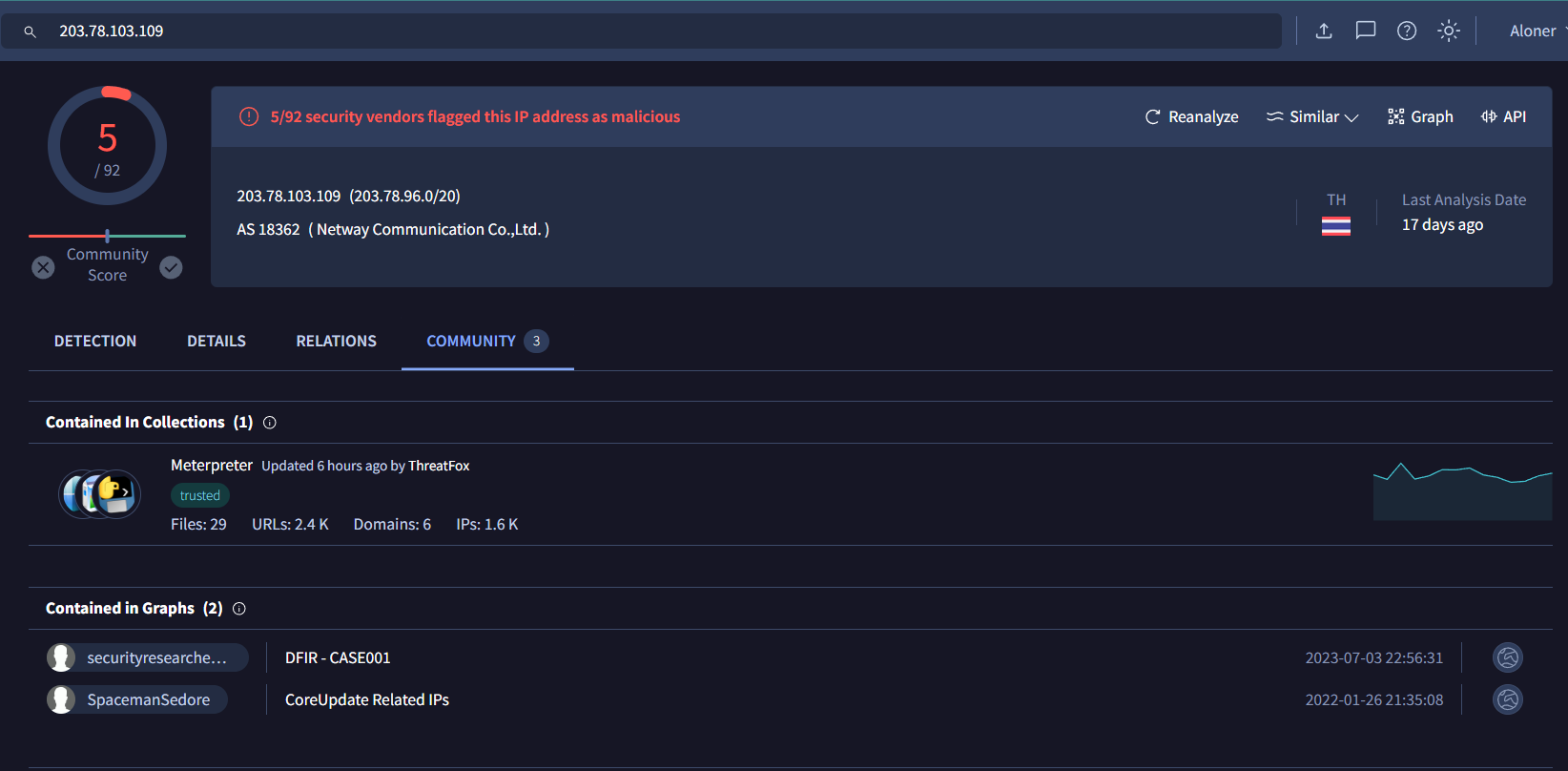
When we searched this IP address on VirusTotal, we can see that its from Thailand and it was flagged as malicious by 5 different security vendors

Go back to our text file to find a process responsible for this connection
coreupdater
Q7: Which process did malware migrate to after the initial compromise? (one word)
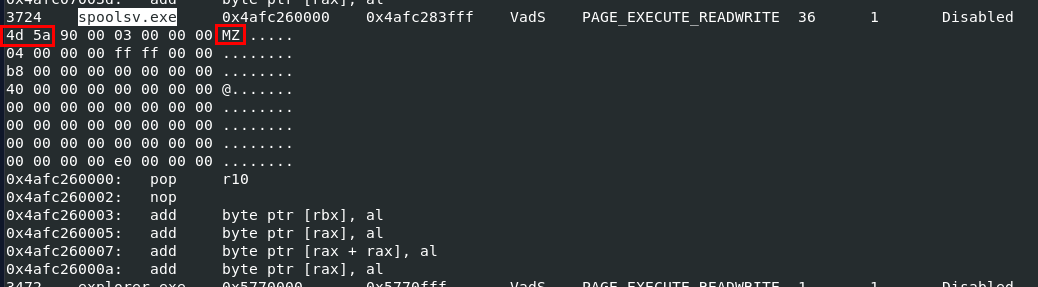
We will have to use vol3 -f citadeldc01.mem windows.malfind to find any process injection or process hollowing which are techniques used for persistence if the process that responsible for a connection was killed so the other process can still do the job
And we can see that spoolsv.exe was injected by looking at hexdump of this process (MZ - 4d 5a is the magic number of MS executable file)
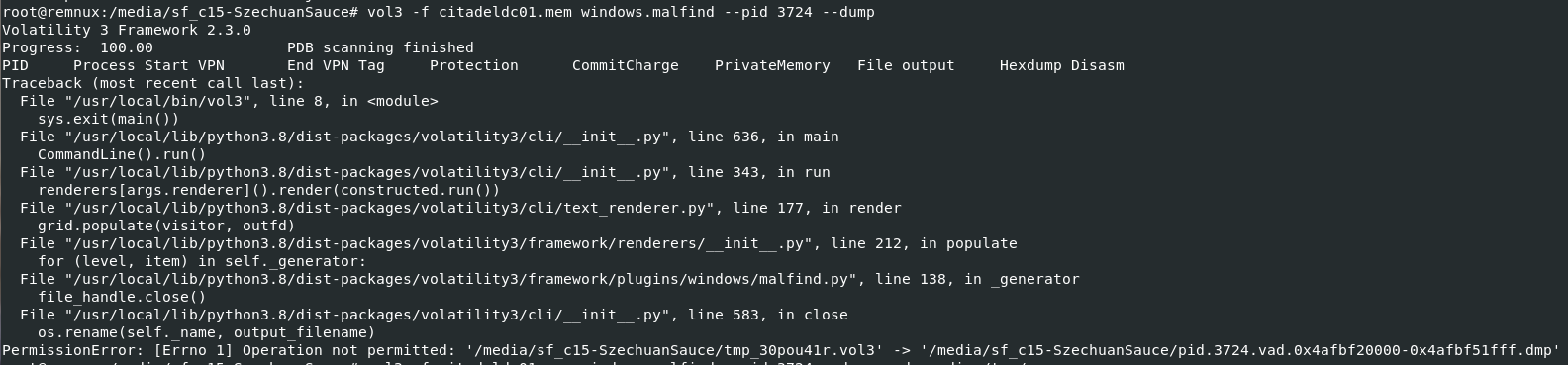
I tried to dump it with vol3 -f citadeldc01.mem windows.malfind, we can see that I got an error because of my anti-virus product monitoring this directory so if you did this on an system that does not monitored by Anti-Virus product and will not get any error
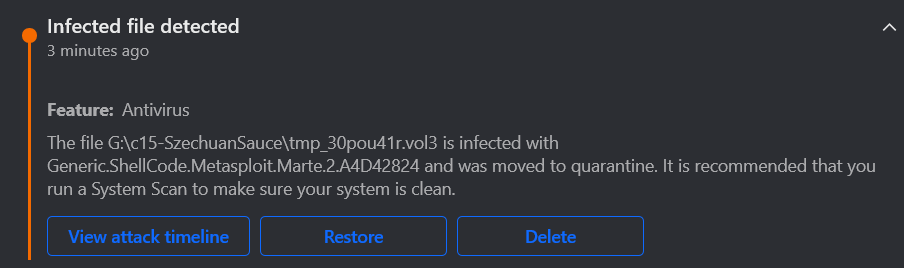
But we can see that from the process we dumped, it got detected and flagged as Metasploit shellcode so now we know that this is 99% meterpreter payload and it migrated to spoolsv.exe

I copied memory dump and dumped it again and pretend that we did not know anything so we can get file hash and search it VirusTotal
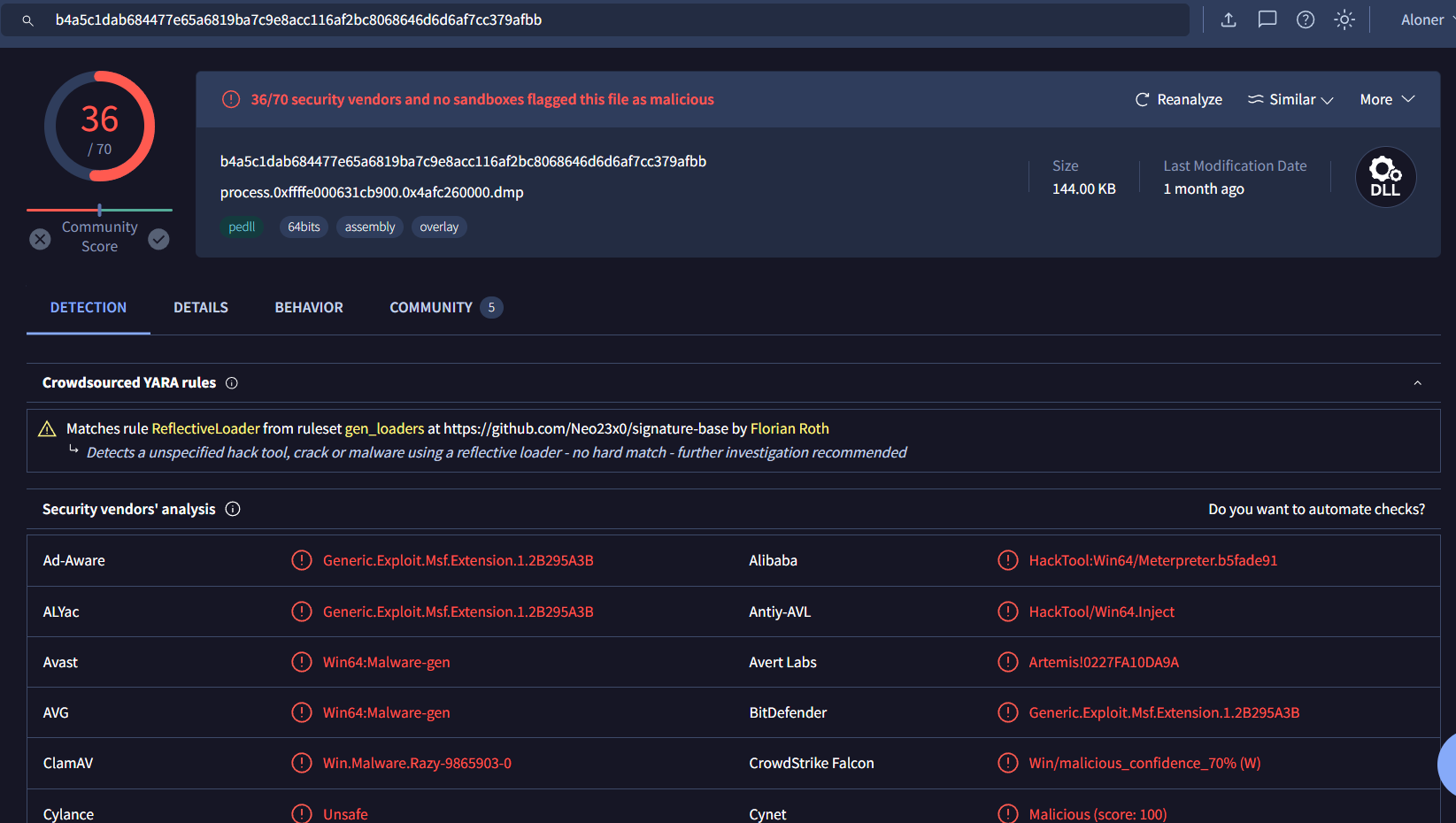
Now we can properly see it on VirusTotal
spoolsv
Q8: Identify the IP Address that delivered the payload.
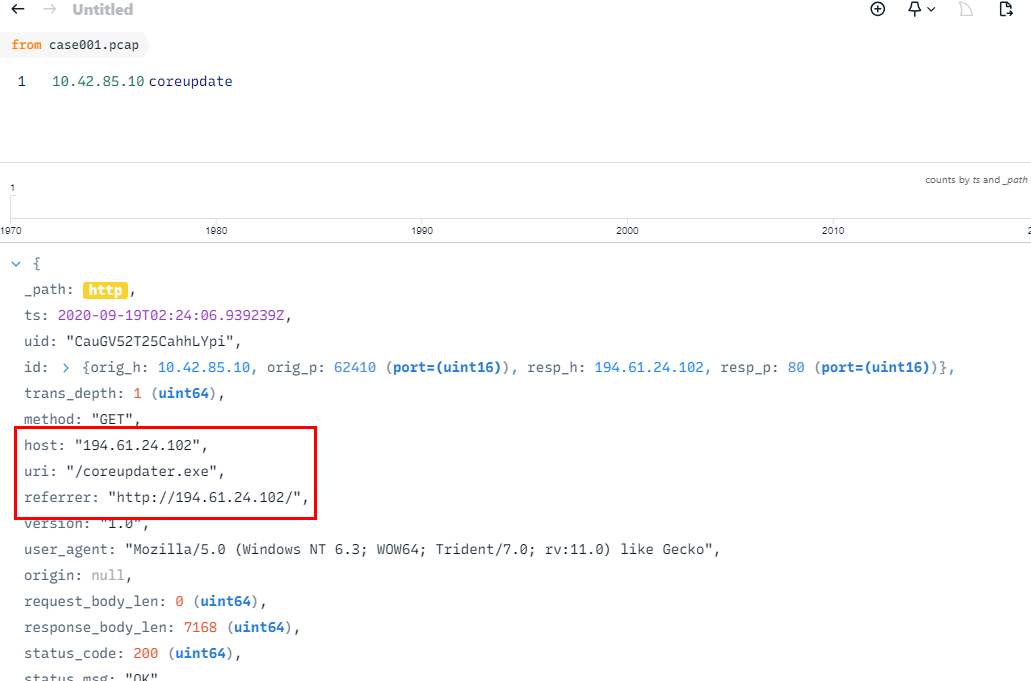
find the coreupdater.exe on pcap file then we can see that it was hosted on this url
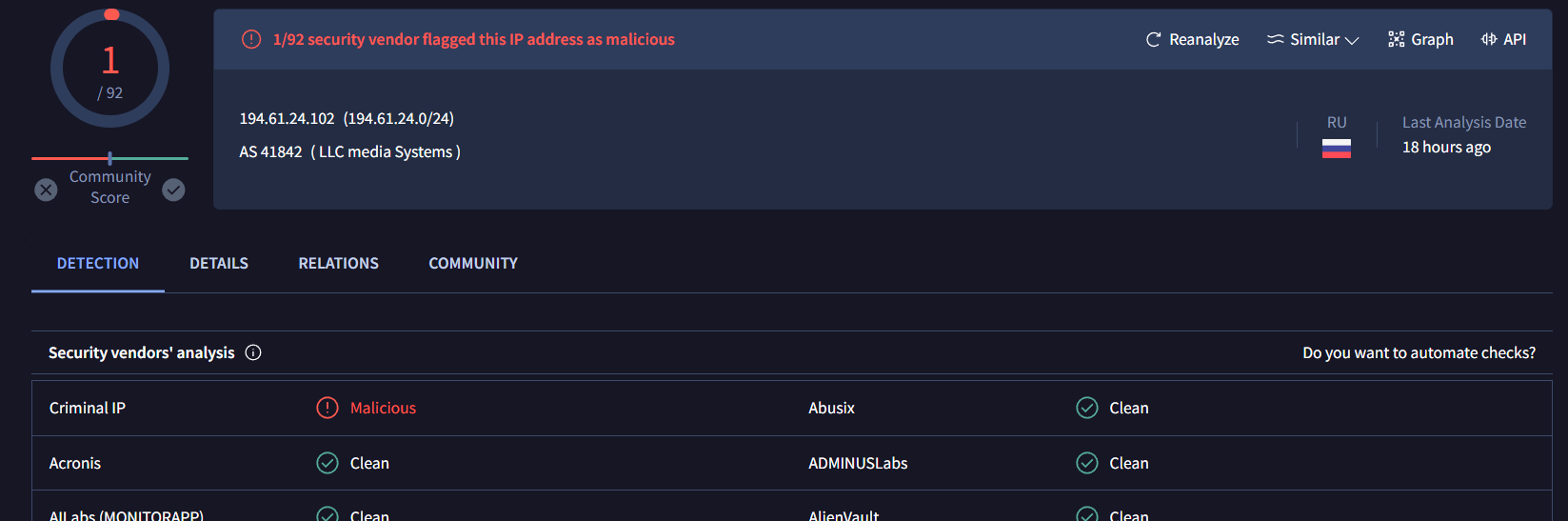
This IP address is in Russia and get 1 total red flag on VirusTotal
194.61.24.102
Q9: What IP Address was the malware calling to?
We already know an answer of this question from windows.netscan plugin
203.78.103.109
Q10: Where did the malware reside on the disk?
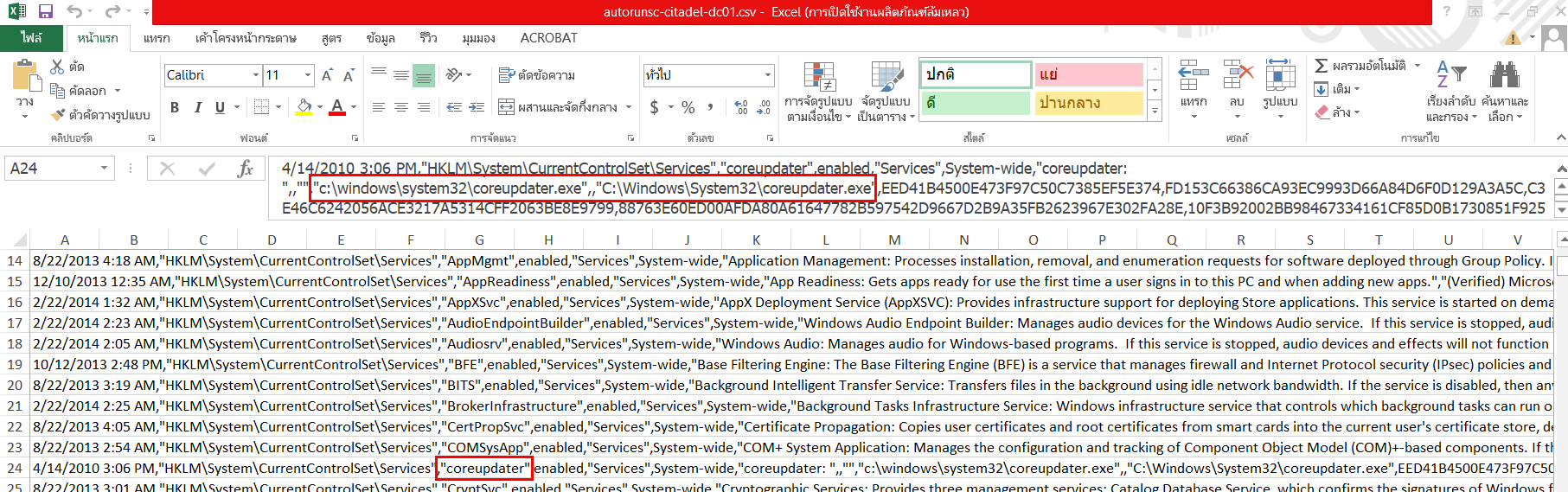
I got an answer of this question on autorunsc csv file of the domain controller, we can see that it was placed inside \Windows\System32 folder
C:\Windows\System32\coreupdater.exe
Q11: What's the name of the attack tool you think this malware belongs to? (one word)
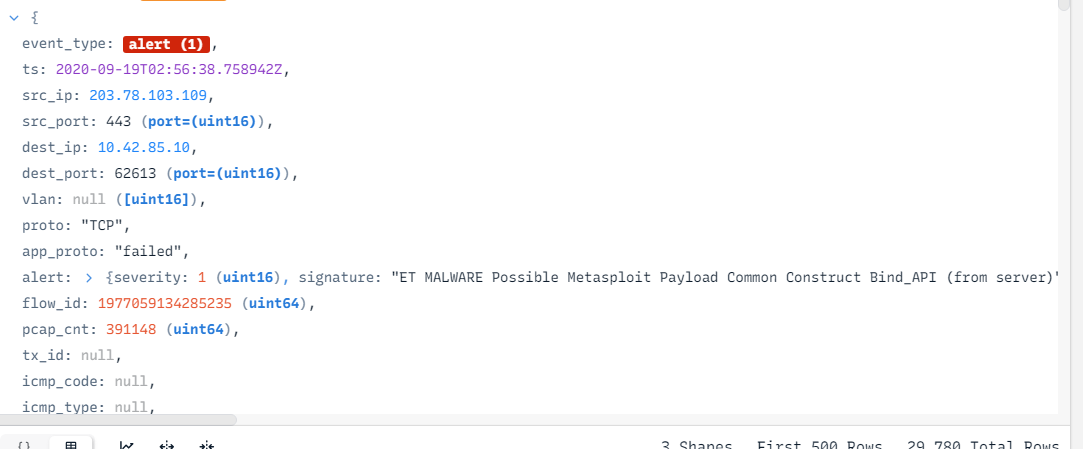
We already know this answer, there is other way to find this question and it is to find this alert in BrimSecurity
Metasploit
Q12: One of the involved malicious IP's is based in Thailand. What was the IP?
203.78.103.109
Q13: Another malicious IP once resolved to klient-293.xyz . What is this IP?
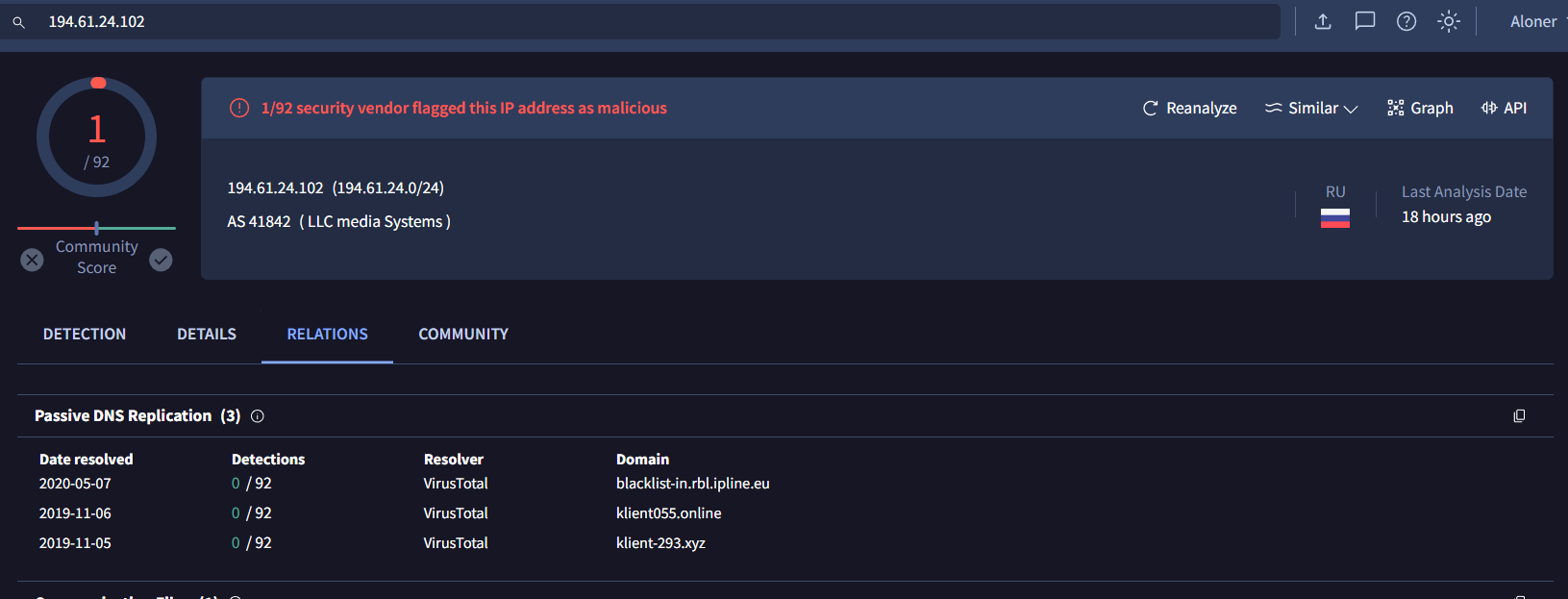
I did not find this on pcap file and host files so I went back to VirusTotal and go to Relations, we can see that this IP address once resolved to klient-293.xyz
194.61.24.102
Q14: The attacker performed some lateral movements and accessed another system in the environment via RDP. What is the hostname of that system?
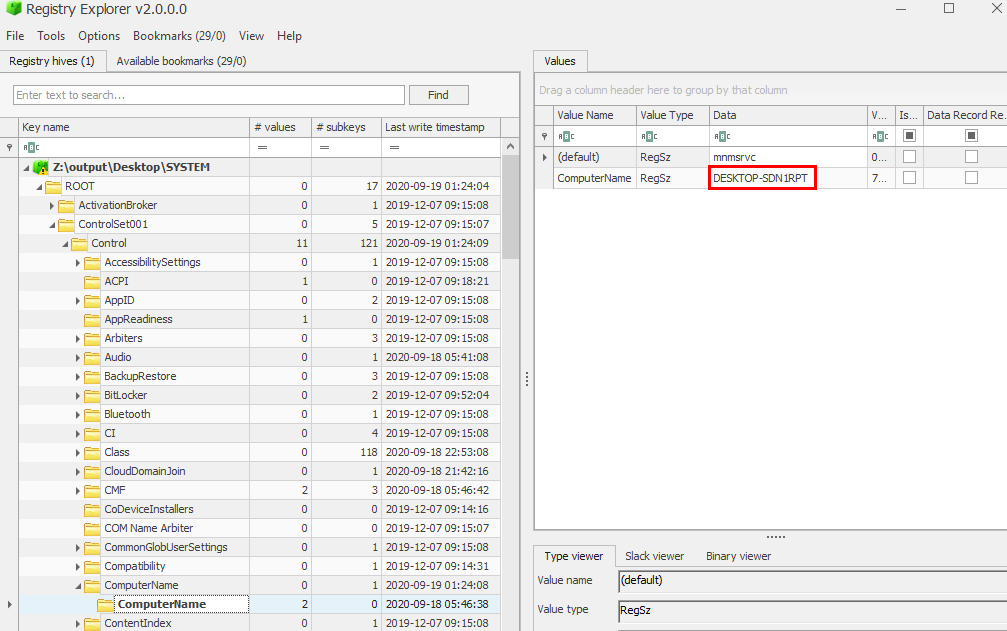
We can get this answer by take a look at ControlSet001\Control\ComputerName\ComputerName subkey on SYSTEM registry hive
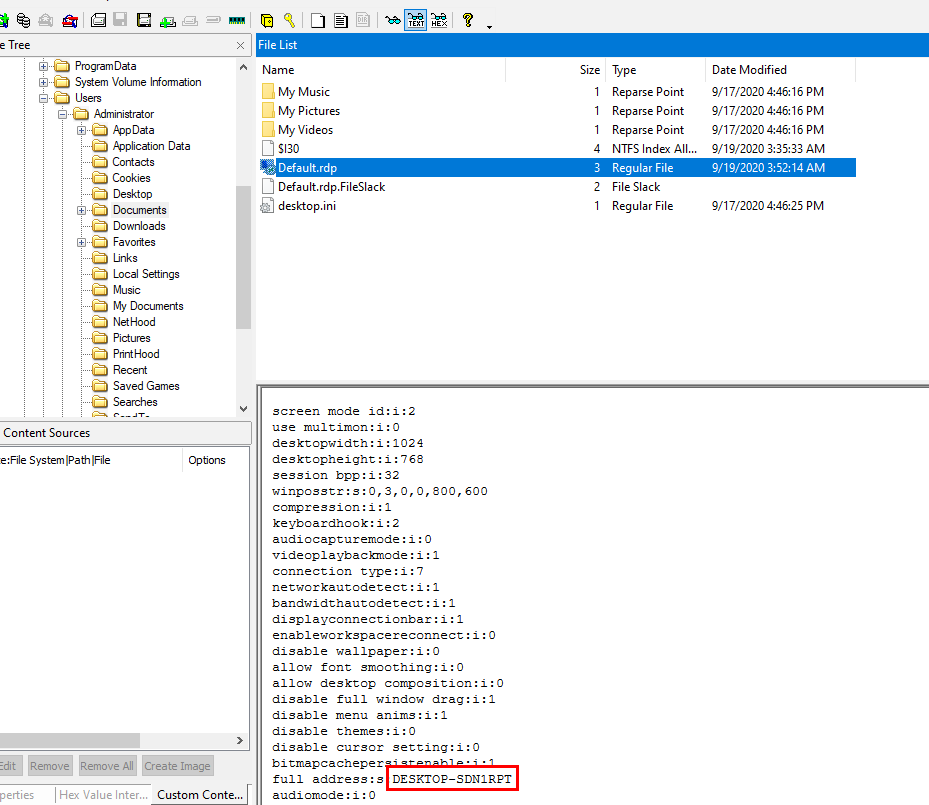
Or we can go to Administrator's documents folder in the domain controller disk image to find Default.rdp which is a file created when open Remote Desktop program and it eventually
DESKTOP-SDN1RPT
Q15: Other than the administrator, which user has logged into the Desktop machine? (two words)
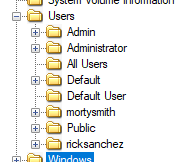
We can see that beside the administrator, there are other 2 user accounts and we need to confirm which one is the one that logged into this machine
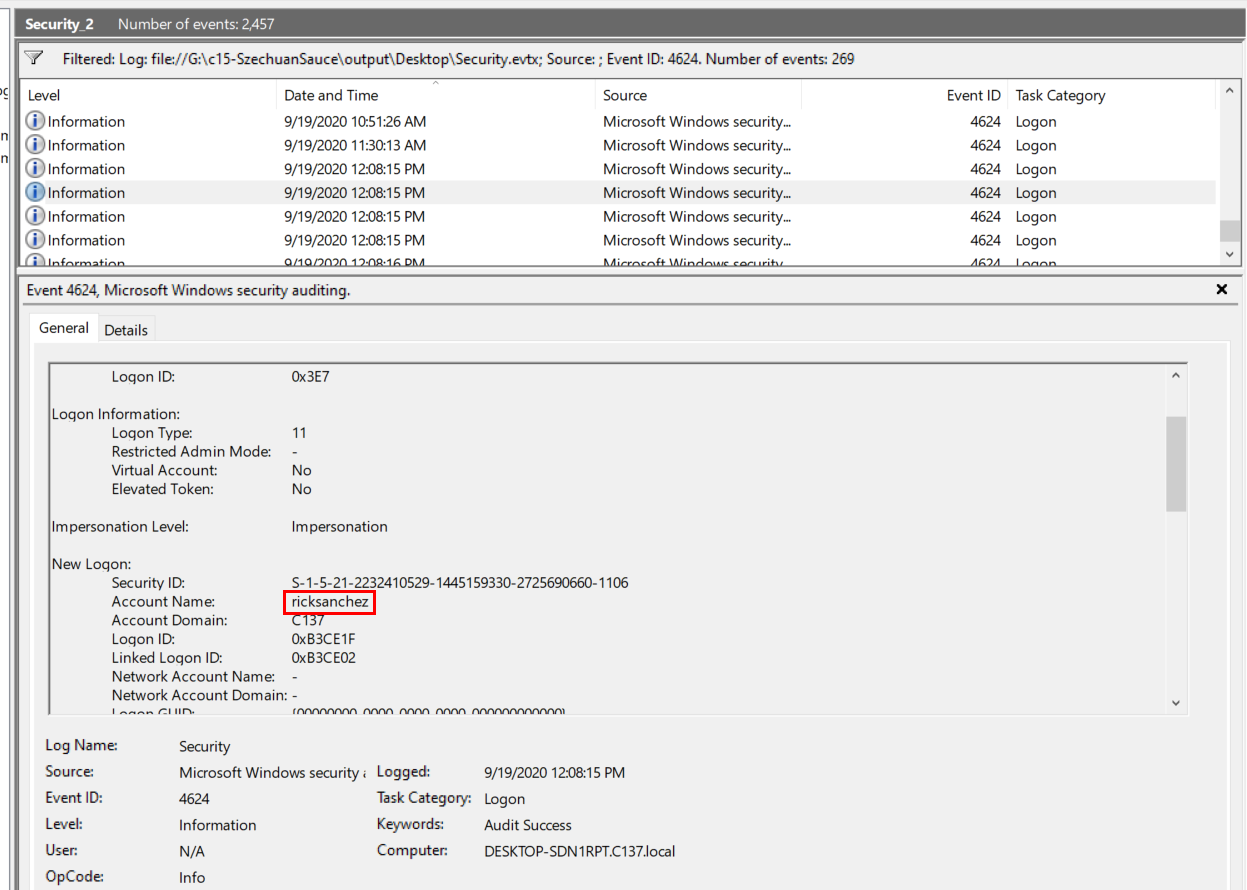
Filter Event ID 4624 in Security.evtx then we will see only "ricksanchez" was successfully logged on and found no evidence of other user which mean other account did not log into this machine
Rick Sanchez
Q16: What was the password for "jerrysmith" account?
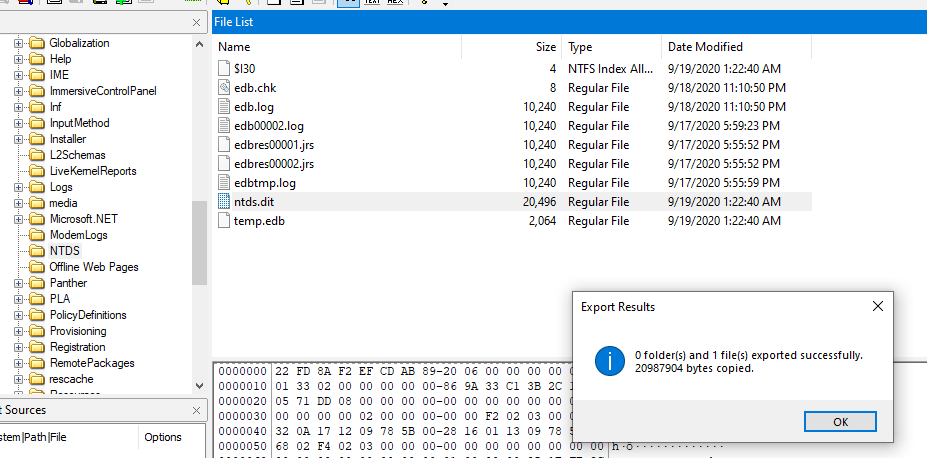
I tried using hashdump plugin on volatility3 and it did not work so I came to export ndts.dit which is an AD database file used by Windows server and since we already exported SYSTEM registry hive then we can process with secretdump.py to dump all NTLM hashes from this file directly
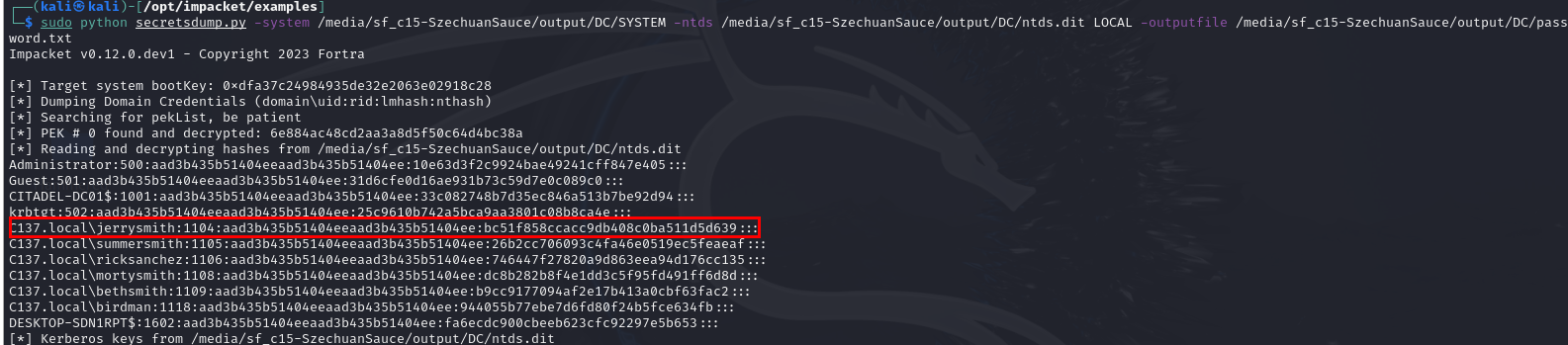
We got the hive, we got the file so lets do it ! - sudo python secretsdump.py -system /media/sf_c15-SzechuanSauce/output/DC/SYSTEM -ntds /media/sf_c15-SzechuanSauce/output/DC/ntds.dit LOCAL -outputfile /media/sf_c15-SzechuanSauce/output/DC/password.txt
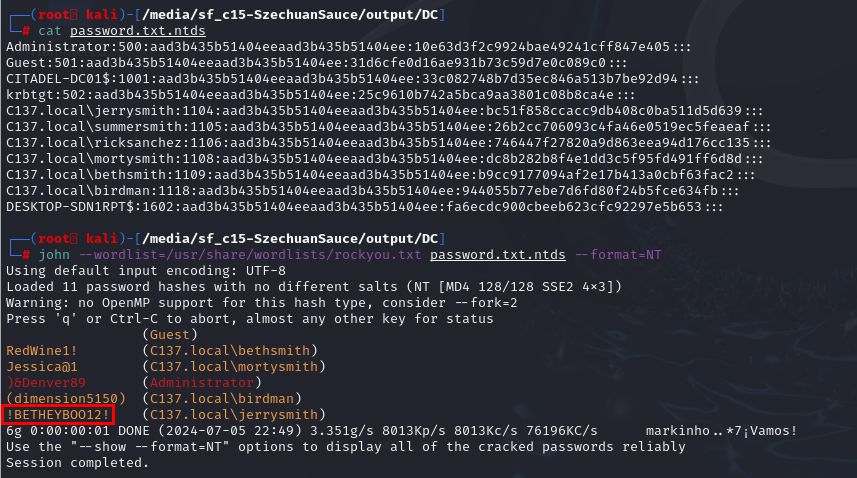
Now since we already exported it to a file then we can proceed with john --wordlist=/usr/share/wordlists/rockyou.txt password.txt.ntds --format=NT to get all password cracked
!BETHEYBOO12!
Q17: What was the original filename for Beth’s secrets?
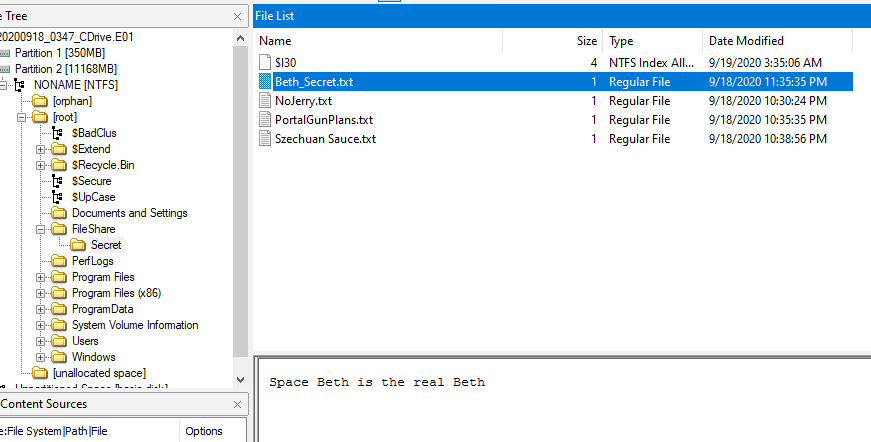
Inside disk image of the domain controller, there is a file named Beth_Secret.txt inside of \FileShare\Secret folder but that is not the right answer
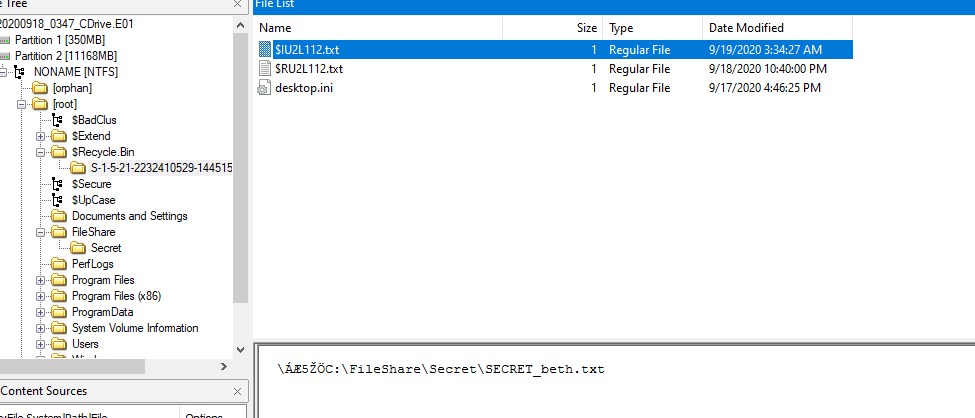
I guessed it would be renamed so we could check for MFT file but I found another text file inside RecybleBin which is the original secret file that was deleted
Secret_beth.txt
Q18: What was the content of Beth’s secret file? ( six words, spaces in between)
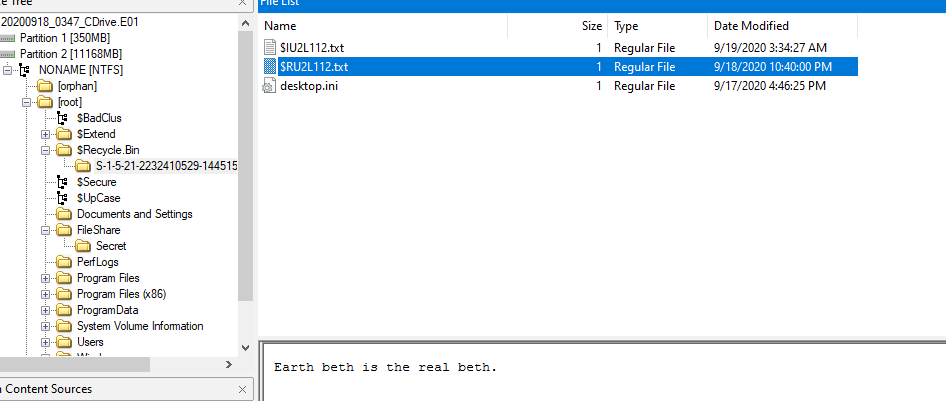
Earth Beth is the real Beth
Q19: The malware tried to obtain persistence in a similar way to how Carbanak malware obtains persistence. What is the corresponding MITRE technique ID?

After searching for this malware, we will come across MITRE ATT&CK website that already listed which MITRE technique ID this malware used for us and we just need to confirm it
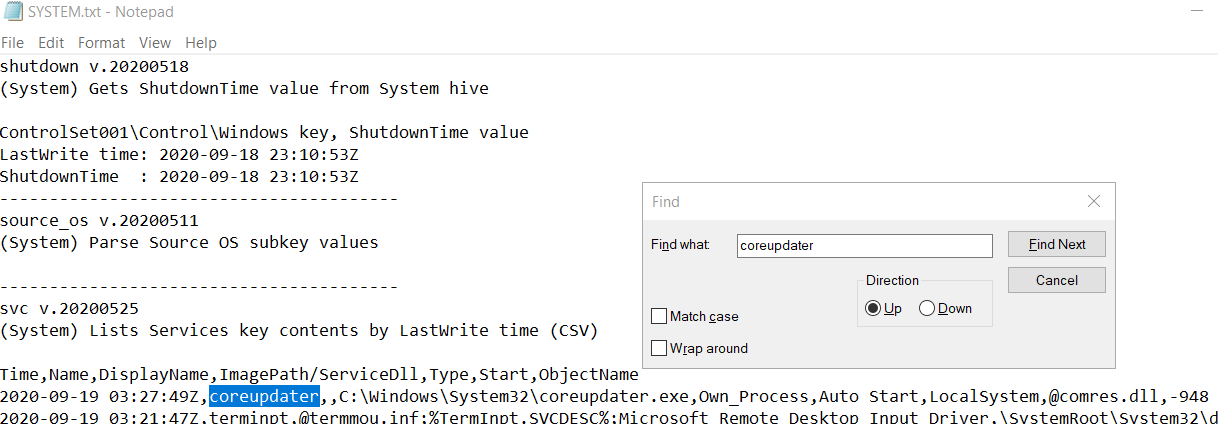
I happened to use Regripper on SYSTEM registry hive, we can see that coreupdater really made itself a service so we can confirm the technique that was used by this malware
T1543.003
https://cyberdefenders.org/blueteam-ctf-challenges/achievements/Chicken_0248/szechuan-sauce/